Using the Control Panel
The Wampoon Control Panel is a desktop application that allows you to manage Apache, MariaDB, PHP, and other components of the Wampoon stack.
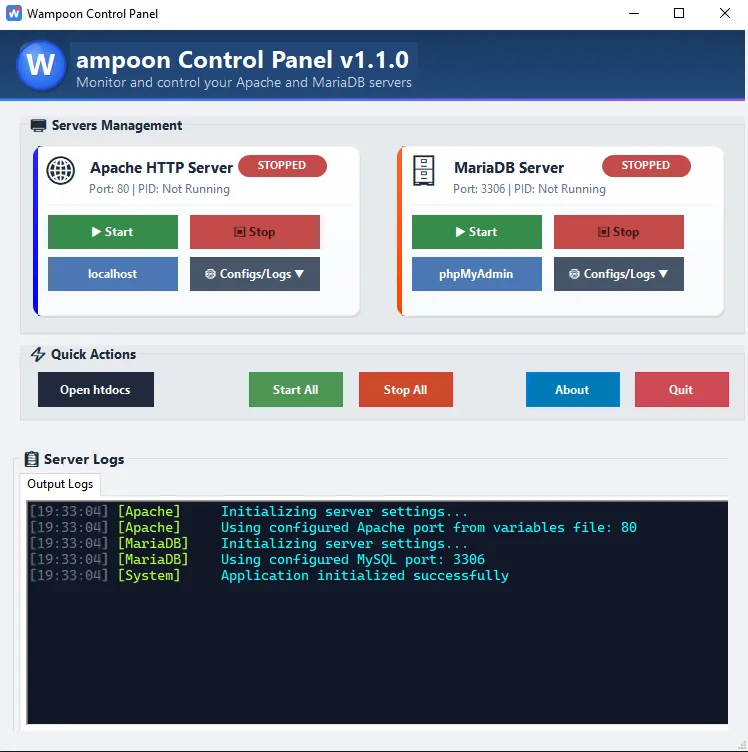
Starting Servers from the Command Line
Section titled “Starting Servers from the Command Line”You can pass flags to WampoonControl.exe to start servers automatically without interacting with the UI. Useful for scripting or scheduled tasks:
WampoonControl.exe --start-all # Start both Apache and MariaDBWampoonControl.exe --start-apache # Start Apache onlyWampoonControl.exe --start-mariadb # Start MariaDB onlyplaintext
Starting Servers on Windows Boot
Section titled “Starting Servers on Windows Boot”To have your servers start automatically every time you log into Windows:
- Press
Win + R, typeshell:startup, and press Enter to open the Startup folder. - Create a shortcut to
WampoonControl.exein that folder. - Right-click the shortcut → Properties → in the Target field, append
--start-allafter the executable path. - Click OK.
Next time you log in, both Apache and MariaDB will start automatically and the control panel will minimize quietly to the system tray.